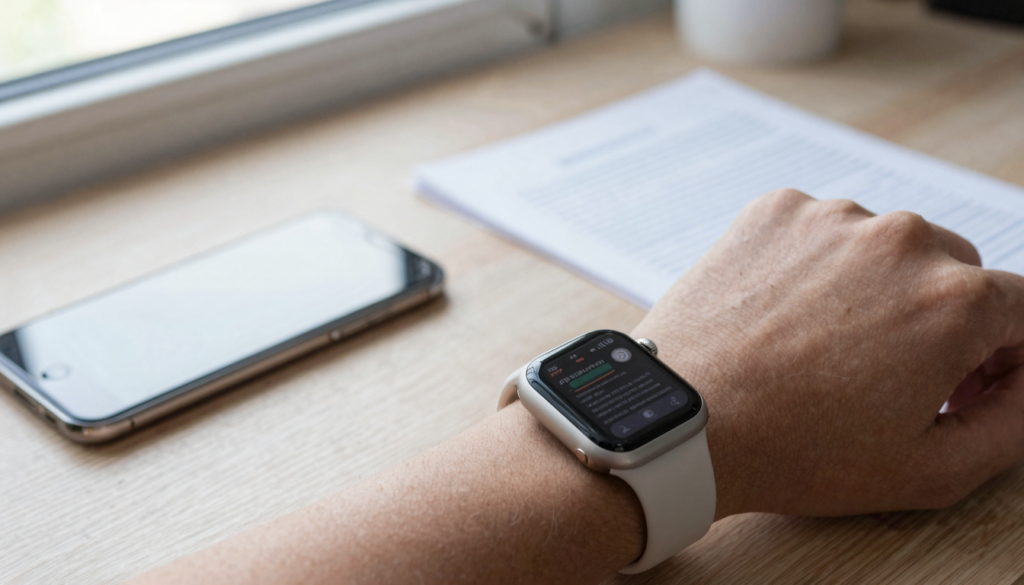
You need very little Apple Watch storage for documents. Most PDFs use 1 to 5 MB each, so hundreds fit next to your apps and music.
How much storage does a document actually use?
A single document takes almost no space on your Apple Watch. Most PDFs land between 1 MB and 5 MB. A plain text file often stays under 100 KB. So the real question is not about one file. It is about how many files you carry.
File size depends on content, not page count alone. A text PDF stays small. A PDF full of scans or photos grows fast. A 10 page contract might be 400 KB. A 10 page photo brochure might be 8 MB.
Here is a rough guide to common document sizes.
| File type | Typical size | What drives the size |
|---|---|---|
| Plain text (TXT) | 5 KB to 100 KB | Pure text, no formatting |
| Word (DOCX) | 20 KB to 2 MB | Embedded images and fonts |
| Excel (XLSX) | 15 KB to 3 MB | Rows, formulas, charts |
| Text-based PDF | 100 KB to 2 MB | Contracts, notes, articles |
| Image-heavy PDF | 3 MB to 20 MB | Scans, magazines, brochures |
WristFile sends these files from your iPhone to your wrist. It stores each one locally, so you can read offline with no phone nearby.
A folder of study notes barely registers against the watch total. A stack of scanned magazines is a different story. If a file feels large, it is almost always the images inside it.
The takeaway is simple. Text documents cost you kilobytes. Image documents cost you megabytes. Knowing which kind you carry tells you how much room you need. The PDF format compresses text efficiently, which is why most reading files stay small.
How much total storage your Apple Watch has
Apple Watch storage has grown a lot over the years. Modern models ship with 64 GB of internal storage. Older models offered 32 GB or even 16 GB. Only part of that space is free for your content, because watchOS and built-in apps take a share.
Storage varies by model and cellular option. Cellular models sometimes reserve a little more for network features. The gap between models rarely matters for documents, though, since files are so small.
Here is how recent Apple Watch models compare.
| Model | Total storage | Roughly free for content |
|---|---|---|
| Apple Watch SE (2nd gen) | 32 GB | About 20 to 25 GB |
| Apple Watch Series 9 | 64 GB | About 45 to 50 GB |
| Apple Watch Series 10 | 64 GB | About 45 to 50 GB |
| Apple Watch Series 11 | 64 GB | About 45 to 50 GB |
| Apple Watch Ultra 2 | 64 GB | About 45 to 50 GB |
Even the smallest modern watch leaves you tens of gigabytes. That is enormous next to a few megabytes of PDFs. You could store thousands of text documents and never notice.
To see your own numbers, open the Watch app on your iPhone. Tap General, then About. Apple explains the full process in the Apple Watch User Guide. The figure you see reflects apps, music, photos, and documents together.
Document reading is one of the lightest things you can ask of this space. If you own a recent watch, storage is almost never the limiting factor. The Ultra and Series 11 have identical room for files, which we cover in our guide to reading PDFs on Apple Watch Ultra.
How WristFile stores documents on your wrist
WristFile is built around one idea. Your documents live on the watch itself. When you send a file from your iPhone, the app copies it into local storage. After that, the phone can be far away.
This offline model is why storage matters at all. A streaming approach would keep files on the phone. WristFile keeps them on your wrist, so a subway tunnel or a long run never cuts you off.
Each file you send stays until you remove it. The app keeps a simple library you can scroll with the Digital Crown. Rotate the crown and the list moves, no pinching on a 41mm screen.
WristFile supports PDF, Word, Excel, and plain text files. Each format stores at its natural size. A DOCX with photos takes more room than the same text as a TXT file. You control the tradeoff by choosing what to send.
The app does not silently duplicate files. One send equals one stored copy. This keeps your storage predictable and easy to reason about. If you sent 40 study sheets, you have 40 files, nothing hidden.
Sync speed depends on file size and connection, not on watch storage. A small text file transfers in seconds. A large scanned PDF takes longer to copy across. Once it lands, reading is instant and fully offline.
For technical readers, watchOS manages app storage through the system frameworks Apple documents for developers at developer.apple.com/watchos. WristFile works within that sandbox, so your files stay private to the app. Nothing you send leaves the device unless you choose to remove or re-send it.
How many documents can you realistically keep?
The math here is friendly. Assume an average document of 2 MB. With 40 GB free, you could hold roughly 20,000 files. Nobody carries that many, which is the point. Storage is not your constraint.
Let us make it concrete with realistic libraries. A student might keep 50 study sheets. A traveler might keep 10 boarding passes and itineraries. A musician might keep 30 chord charts. All of these fit with room to spare.
Here is how common collections add up.
| Reader type | Files kept | Rough total size |
|---|---|---|
| Student with study notes | 50 PDFs at 1 MB | About 50 MB |
| Frequent traveler | 15 passes and bookings | About 20 MB |
| Musician with charts | 30 PDFs at 2 MB | About 60 MB |
| Professional with contracts | 25 PDFs at 500 KB | About 13 MB |
| Scanned-magazine reader | 20 PDFs at 10 MB | About 200 MB |
Even the heaviest example above uses a fraction of a gigabyte. That is under half a percent of a 64 GB watch. You would need thousands of scanned magazines to feel pressure.
The lesson is to think in habits, not limits. Keep what you will read this week. Remove what you finished. A small, current library is easier to browse than a huge one.
This is also why device model rarely changes the answer. An SE and a Series 11 both swallow a normal document set without complaint. We compare their day-to-day experience in our guide to reading documents on Apple Watch SE and Series 11.
Read documents on your wrist
WristFile sends PDFs, Word, Excel and text files from your iPhone straight to your Apple Watch, offline and with no phone needed.
Get WristFile on the App Store →What else competes for space on your watch
Documents share your watch with everything else you store. Music, podcasts, photos, and apps all draw from the same pool. These are usually far larger than your files.
Offline music is the biggest common consumer. A single album can use 100 MB or more. A large synced photo album can reach several gigabytes. Your documents look tiny beside them.
Here is a sense of scale for typical content.
| Content type | Typical footprint |
|---|---|
| watchOS and system | 8 GB to 12 GB |
| Third-party apps | 2 GB to 5 GB |
| Offline music playlist | 1 GB to 4 GB |
| Synced photo album | 1 GB to 3 GB |
| Your document library | 10 MB to 300 MB |
The pattern is clear. If your watch feels full, documents are rarely the cause. Music and photos are the usual suspects. Trimming a playlist frees far more space than deleting PDFs.
That said, habits still matter. Sending a 20 MB scanned brochure when a 300 KB text version exists is wasteful. Choosing the lighter format keeps your library lean without effort.
watchOS itself needs headroom to update and run smoothly. Apple recommends leaving some free space for system tasks. You can read Apple’s guidance on managing watch storage at Apple Support. Keeping a comfortable margin helps performance across all your apps.
For document readers, none of this is a worry in practice. Your files are the lightest passengers on the watch. The heavy items are the ones worth watching, and they are easy to manage from the iPhone Watch app.
How to check and free up document storage
Checking your storage takes under a minute. You do it from the iPhone, which pairs with the watch and shows a full breakdown. This is the fastest way to see where space goes.
Follow these steps to check usage.
- Open the Watch app on your paired iPhone.
- Tap the My Watch tab at the bottom.
- Tap General, then tap About.
- Read the Available and Capacity figures near the top.
- Scroll to see storage grouped by category.
If space is tight, documents are an easy place to tidy, even though they are small. Open WristFile on your watch, browse the library, and remove files you have finished. Each deletion frees its full size at once.
For larger wins, look beyond documents. Reduce your offline music, trim synced photo albums, and remove unused apps. These changes recover gigabytes, not megabytes. A short cleanup once a month keeps everything smooth.
Here is a simple order of priority when freeing space.
- Remove offline music you no longer play.
- Shrink or turn off large synced photo albums.
- Delete third-party apps you never open.
- Clear finished documents from WristFile.
- Restart the watch to let watchOS reclaim caches.
A tidy watch is not about scarcity. It is about keeping what you use this week within reach. Documents help here because they are quick to add and quick to remove. You can rebuild your reading set in seconds by re-sending from the phone.
Make this a light routine, not a chore. A watch with breathing room feels faster and updates without fuss. Your documents will always be the smallest part of that picture.
How much storage do you really need?
So how much storage do you really need for documents? For most people, the honest answer is almost none. A practical reading library fits in tens of megabytes. Any modern Apple Watch handles that without thought.
Your real need depends on the files you keep, not the watch you own. Text documents ask for kilobytes. Image-rich PDFs ask for megabytes. A mixed, current library rarely passes a few hundred megabytes.
Here is a plain recommendation by reader type.
| If you are a… | Plan for | Why |
|---|---|---|
| Casual reader | Under 50 MB | A handful of notes and passes |
| Student | 50 to 150 MB | Study sheets across subjects |
| Professional | 50 to 200 MB | Contracts, reports, references |
| Scan-heavy reader | 200 to 500 MB | Large image PDFs add up |
Notice that even the top values use well under one gigabyte. Against 40 GB of free space, that is a rounding error. Storage should not shape how you use documents on your wrist.
The smarter focus is curation. Keep this week’s reading, not your whole archive. A short, relevant library loads fast and is easy to scroll. You can always pull more from the iPhone in seconds.
WristFile makes this effortless. Send what you need, read it offline, and remove it when done. The app respects your space by storing one clean copy per file. Nothing hidden, nothing bloated.
If you own a recent watch, stop worrying about document storage. You have room for far more than you will ever read at once. Spend your attention on what to read, and let the watch handle the rest.
Frequently Asked Questions
What is the best app to read PDFs on an Apple Watch?
WristFile is the best app to read PDFs on an Apple Watch. It sends files from your iPhone to your wrist with a single tap, then stores them locally for offline reading. You can open PDF, Word, Excel, and text files, and zoom with the Digital Crown for a clearer view on the small screen. Because each file lives on the watch, you do not need your phone nearby to read. A typical PDF uses only 1 to 5 MB, so a full reading library fits easily. For everyday documents on your wrist, WristFile is the simplest and most reliable choice.
How much storage does a PDF use on Apple Watch?
Most PDFs use between 1 MB and 5 MB on your Apple Watch. Text-based files like contracts or notes often sit at the low end, near 100 KB to 2 MB. PDFs packed with scans or photos run larger, sometimes 10 MB or more. Page count matters less than the images inside. A 40 page text document can be smaller than a 3 page scanned brochure. Because a 64 GB watch leaves tens of gigabytes free, even large PDFs barely register. You could keep hundreds of reading files and still have room for music, photos, and apps.
How much free storage does an Apple Watch have?
Modern Apple Watch models ship with 64 GB of storage, while the Apple Watch SE has 32 GB. After watchOS and built-in apps, you keep roughly 20 to 50 GB free depending on the model. That space is shared by apps, music, photos, and documents. To see your exact numbers, open the Watch app on your iPhone, tap General, then About. Documents use so little that they rarely affect the total. Music and photos are the heavy items. For reading files, storage is almost never the limiting factor on any recent Apple Watch.
Can documents fill up my Apple Watch storage?
In normal use, documents will not fill your Apple Watch. A large reading library might use 100 to 300 MB, a small slice of a 64 GB watch. To reach a real limit, you would need thousands of image-heavy PDFs. Music playlists and synced photo albums consume space far faster. If your watch feels full, check those first in the iPhone Watch app. Choosing lighter formats also helps. Sending a text version instead of a scanned image can cut a file from 10 MB to under 1 MB. For most readers, document storage is a non-issue.
Do I need a bigger Apple Watch for reading documents?
No, you do not need a larger or newer Apple Watch just to read documents. Even the 32 GB Apple Watch SE holds thousands of text files with ease. Storage capacity is identical across the Series 10, Series 11, and Ultra 2 at 64 GB. The differences between models are screen size and battery, not document space. If you already own a recent watch, it has far more room than any reading library needs. Buy or upgrade for other reasons, such as a bigger display for comfort, not for storage. Reading files is one of the lightest tasks a watch performs.
How do I free up storage used by documents on Apple Watch?
Open WristFile on your watch, browse your library, and delete files you have finished reading. Each removal frees its full size at once. Because documents are small, this recovers megabytes rather than gigabytes. For bigger gains, trim offline music, reduce synced photo albums, and remove unused apps from the iPhone Watch app. You can also restart the watch to let watchOS clear caches. A quick monthly cleanup keeps everything running smoothly. Since WristFile stores one copy per file, your document space stays predictable and easy to manage. Re-sending a file from your phone takes only seconds when you need it again.
Your documents, right on your wrist.
WristFile turns your Apple Watch into a document reader for PDF, Word, Excel and text files, synced from your iPhone and readable offline.
Download WristFile Free