The best Apple Watch apps for students in 2026 pair WristFile for reading PDFs and notes with Apple’s built-in Reminders, Calendar and Notes.
Why the Apple Watch earns a place in a student kit
The Apple Watch is a quiet study tool in 2026. It rides on your wrist through lectures, labs and the walk between them. You check it without ever reaching for a phone.
Students move through a stream of short, urgent facts. A due date. A room change. A formula to confirm before a quiz. The watch answers each one in a second.
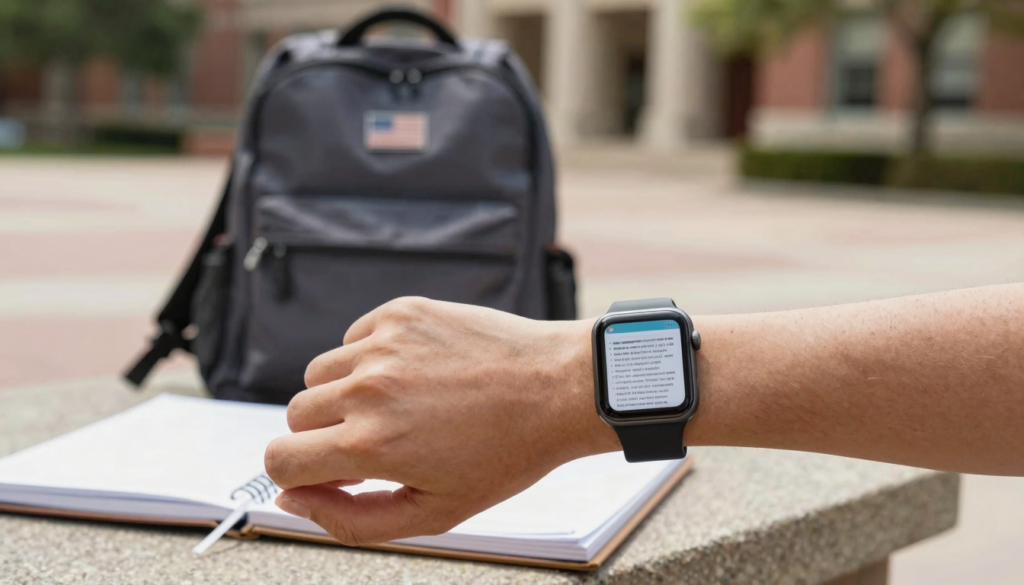
Reading is where the watch has grown the most. You can keep study notes, lecture slides and full PDFs on the screen. Rotate the Digital Crown and the page scrolls, so there is no pinching on a 41mm display. Apple explains the Crown and other controls in the official Apple Watch User Guide.
The watch also keeps you off your phone. Open a phone in the library and every notification you own arrives at once. The watch shows one document and nothing else. That focus is worth a lot during revision.
Storage and battery both improved this year. A current Apple Watch holds gigabytes of files and lasts a full school day on one charge. Apple documents storage and sync behaviour on its Apple Support pages.
This guide sorts the apps a student actually needs. It groups them by job: reading documents, capturing notes, tracking deadlines and staying focused. For document reading, one app leads the field. For the rest, the best tools are already built into watchOS. Think of the sections below as a starter kit you can set up in a single evening.
WristFile: read notes, PDFs and slides on your wrist
WristFile is the document reader at the centre of a student wrist kit. It sends PDF, Word, Excel and text files from your iPhone to your Apple Watch. The files then open offline, with no phone in the room.
The workflow is short. Pick a file on your iPhone, tap share, and choose WristFile. The document appears on your watch within seconds. Your lecture slides, a marked up reading or a revision sheet all travel the same way.
Reading feels natural on the small screen. Turn the Digital Crown to scroll a long page. Tap to zoom into a dense diagram or a block of equations. Pages stay sharp because the text is real, not a screenshot.
Students lean on WristFile for the documents they check most. A one page formula sheet. The reading due for a seminar. A set of flashcard style notes before a test. You can read all of them mid walk, glancing down for a moment.
Here is what WristFile handles for a typical study week:
| File type | Student use | Opens offline |
|---|---|---|
| Lecture slides, past papers, textbook chapters | Yes | |
| Word (DOCX) | Essay drafts, tutor feedback, handouts | Yes |
| Excel (XLSX) | Lab data, grade trackers, timetables | Yes |
| Text (TXT) | Quick notes, vocab lists, code snippets | Yes |
The offline part matters on campus. Lecture halls and basements often have weak signal. Because WristFile stores the file on the watch, a dropped connection changes nothing. For a deeper look at loading study material, see our guide on how students read study notes and cheat sheets on Apple Watch.
WristFile is free to start, so it costs nothing to build your first wrist library before term begins.
Built-in watchOS apps every student should set up
WristFile handles your documents. Apple handles almost everything else, and those apps are free and already installed. Setting them up takes one evening.
Reminders is the deadline keeper. Add an assignment with a due date on your iPhone and it syncs to your wrist. The watch taps you when it is due. You tick it off without opening a laptop.
Calendar shows your timetable at a glance. Raise your wrist between classes and the next lecture, room and time are right there. Complications put your next event on the watch face itself.
Notes captures fast thoughts. Dictate a reference a lecturer mentions, or a book title to find later. The note waits on your phone when you sit down to study. Apple covers these apps in the Apple Watch User Guide.
Mail lets you scan messages from tutors and the department. You cannot mark up a long attachment here, though. For a PDF attachment you want to read closely, send it to WristFile instead. We compare the two approaches in our piece on the iPhone Files app versus a dedicated Apple Watch PDF reader.
Here is a simple split of jobs and the right tool:
| Job | App | Why it fits |
|---|---|---|
| Read documents | WristFile | Offline PDF, Word, Excel and text |
| Track deadlines | Reminders | Due date taps on the wrist |
| See your timetable | Calendar | Next class on the watch face |
| Capture quick notes | Notes | Dictate and sync to iPhone |
| Scan short messages | Quick triage, not deep reading |
Set these five up once and your wrist covers the core of a study day. Nothing here needs a subscription.
Read documents on your wrist
WristFile sends PDFs, Word, Excel and text files from your iPhone straight to your Apple Watch, offline and with no phone needed.
Get WristFile on the App Store →Building your wrist study kit before class
A good study kit is loaded before you need it. Spend twenty minutes the night before and your wrist is ready for the day.
Start with the week ahead. Look at your timetable and pick the documents each class needs. Send those to WristFile in one short session on your iPhone.
Keep files small and focused. A watch screen suits a one to two page sheet better than a 300 page textbook. Split a long reading into the pages that matter, then send only those.
Name files so you can find them fast. A title like WEEK7 STATS FORMULAS beats a random string. On a small screen, a clear name saves real time.
Use this quick checklist before a study day:
- Check tomorrow’s timetable in Calendar.
- Pick one or two documents per class.
- Trim long PDFs to the key pages on your iPhone.
- Send each file to WristFile.
- Add any deadlines to Reminders.
Refresh the kit weekly, not daily. Most students settle into a rhythm where Sunday evening sets up the week. You delete last week’s files and load the next.
Storage stays tidy this way. You carry the ten documents you use now, not a year of clutter. Reading on a tiny screen rewards a small, curated set.
The payoff shows up mid week. When a tutor asks about last Tuesday’s reading, it is already on your wrist. You glance, answer and move on, with no scramble through a bag or a laptop.
Reading long PDFs and slides without eye strain
A watch screen is small, so how you read matters. A few habits keep long documents comfortable on the wrist.
Raise brightness before a reading session. A brighter screen makes small text legible in a lecture hall or a dim library. watchOS lets you set this in seconds.
Increase the system text size for sharper reading. Larger type means fewer squints and less scrolling past tiny lines. The setting lives in the Watch app on your iPhone.
Use the Digital Crown for scrolling, not your finger. The Crown moves the page smoothly and keeps your fingertip off the glass. Your view of the text stays clear the whole time.
Zoom into dense material with a tap. Equations, tables and diagrams often need a closer look. WristFile keeps the text crisp when you zoom, because it renders the real document rather than an image.
Read in short bursts. The wrist suits a two minute check, not a two hour session. For a long chapter, a phone or tablet is the better screen. We weigh the trade offs in our comparison of the Apple Watch and a Kindle for reading documents.
Prefer PDFs with clean, large fonts. A document built for print at a small size will always be harder on the wrist. When you make a study sheet, use a bold heading and generous spacing.
These habits turn the watch into a comfortable glance tool. You are not reading a novel here. You are checking a formula, a date or a key line, and the screen handles that job well.
Storage, offline access and battery for a school day
A study day asks three things of your watch: enough storage, reliable offline files and battery that lasts. Modern Apple Watch models deliver all three.
Storage is rarely the limit for documents. Text based PDFs and Word files are small, often well under a megabyte each. A typical week of study material barely dents the space available. Apple lists current capacity on its Apple Support pages.
Offline access is the real advantage. Once WristFile stores a file on the watch, you do not need signal or your iPhone. That holds in a concrete lecture hall, a train or a basement study room.
Battery comfortably covers a school day on current hardware. Reading a document sips power, since the screen is small and the file is local. You are not streaming anything. The technical side of the platform is documented for developers at Apple Developer.
Model choice shifts these numbers a little. Here is a rough guide for students:
| Model | Storage feel | Battery for a school day |
|---|---|---|
| Apple Watch SE | Plenty for documents | Full day of light reading |
| Apple Watch Series | Ample for a wrist library | Comfortable full day |
| Apple Watch Ultra | Large, room to spare | Multiple days |
The Apple Watch line shares the same reading experience across models. A cheaper SE reads a PDF just as clearly as an Ultra. You do not need the top tier to study from your wrist.
Charge overnight and top up briefly if needed. A ten minute charge before you leave adds hours. For document reading, any recent model handles a full day of classes without worry.
A day on campus with documents on your wrist
Picture a normal Tuesday. Your wrist carries the study kit you loaded the night before. Here is how it plays out.
Morning starts with a glance at Calendar. Your first lecture and room appear on the watch face. You walk in without checking your phone once.
During the lecture, you pull up the slides in WristFile. The professor references slide twelve, and you scroll to it with the Digital Crown. You follow along without a laptop lid between you and the room.
Between classes, Reminders taps you. A problem set is due at five. You note it and keep walking, no laptop needed to see the deadline.
At lunch, you review a formula sheet on your wrist. A quick glance settles the method you half remembered. You feel ready for the afternoon quiz without opening a bag.
In the lab, signal drops to nothing. It does not matter. Your data sheet is stored on the watch, so it opens offline while your phone stays in your locker.
Walking home, a book title comes to mind. You dictate it into Notes in a second. It waits on your iPhone when you sit down to study.
The theme across the day is calm. You checked documents, deadlines and slides without the pull of a full phone screen. Each look lasted seconds and ended cleanly.
That is the case for an Apple Watch as a student tool in 2026. Pair WristFile for reading with the built-in apps for the rest. Your most used study material rides on your wrist, ready the moment you glance down.
Frequently Asked Questions
What is the best app to read PDFs on an Apple Watch?
WristFile is the best app to read PDFs on an Apple Watch. It sends PDF, Word, Excel and text files from your iPhone to your wrist with one tap from the share sheet. The files then open offline, so you do not need signal or your phone nearby. You scroll long pages with the Digital Crown and tap to zoom into small text or diagrams. For students, that means lecture slides, past papers and formula sheets are always a glance away. WristFile is free to start, so you can build a wrist library before term begins without paying anything.
Can students read lecture notes on an Apple Watch?
Yes, students can read lecture notes on an Apple Watch. Save your notes as a PDF, Word or text file on your iPhone, then send them to WristFile. The note opens on your wrist and stays there offline. This works well for one or two page revision sheets, formula lists and seminar readings. A watch screen suits short, focused documents rather than a full textbook. Rotate the Digital Crown to scroll and tap to zoom on dense sections. Many students trim a long reading to the key pages first, which keeps the file small and easy to read.
Which file formats can WristFile open on Apple Watch?
WristFile opens PDF, Word (DOCX), Excel (XLSX) and plain text (TXT) files on an Apple Watch. That covers most study material a student carries. Lecture slides and past papers are usually PDFs. Essay drafts and tutor handouts arrive as Word files. Lab data and grade trackers often sit in Excel. Quick vocab lists and code snippets work as text files. Every format opens offline once the file is on the watch. You send each one from your iPhone through the share sheet, and it appears on your wrist within seconds, ready to read without a data connection.
Do I need my iPhone nearby to read notes on my watch?
No, you do not need your iPhone nearby to read notes once they are on your watch. WristFile stores each file directly on the Apple Watch. After the transfer, the document opens offline, even with your phone in a locker or across campus. This is why the watch works in lecture halls and basements where signal is weak. You do need your iPhone during the initial send, since that is when the file moves across. Load your documents in the morning, then leave your phone behind. Your study material stays on your wrist for the rest of the day.
How much watch storage do study documents use?
Study documents use very little Apple Watch storage. Text based PDFs and Word files are often well under a megabyte each. A full week of lecture sheets, readings and formula lists barely dents the space on a modern watch. Even an entry level Apple Watch SE holds far more than a typical student loads at once. Storage only becomes a concern with large, image heavy files, such as scanned textbooks. Trimming a long PDF to the pages you need keeps files small. Most students carry ten or so documents at a time and never notice the space they take.
Is an Apple Watch good for exam revision?
An Apple Watch is a strong revision aid for quick, repeated review. Load a formula sheet or a set of key facts into WristFile and glance at them between other tasks. Short, frequent looks help material stick, and the wrist makes them effortless. The small screen also keeps you off a distracting phone during study breaks. It suits active recall of a few points rather than reading long chapters. For deep reading, pair the watch with a larger screen. During exam season, many students keep one revision sheet on the wrist and check it on the walk to the hall.
Your documents, right on your wrist.
WristFile turns your Apple Watch into a document reader for PDF, Word, Excel and text files, synced from your iPhone and readable offline.
Download WristFile Free